
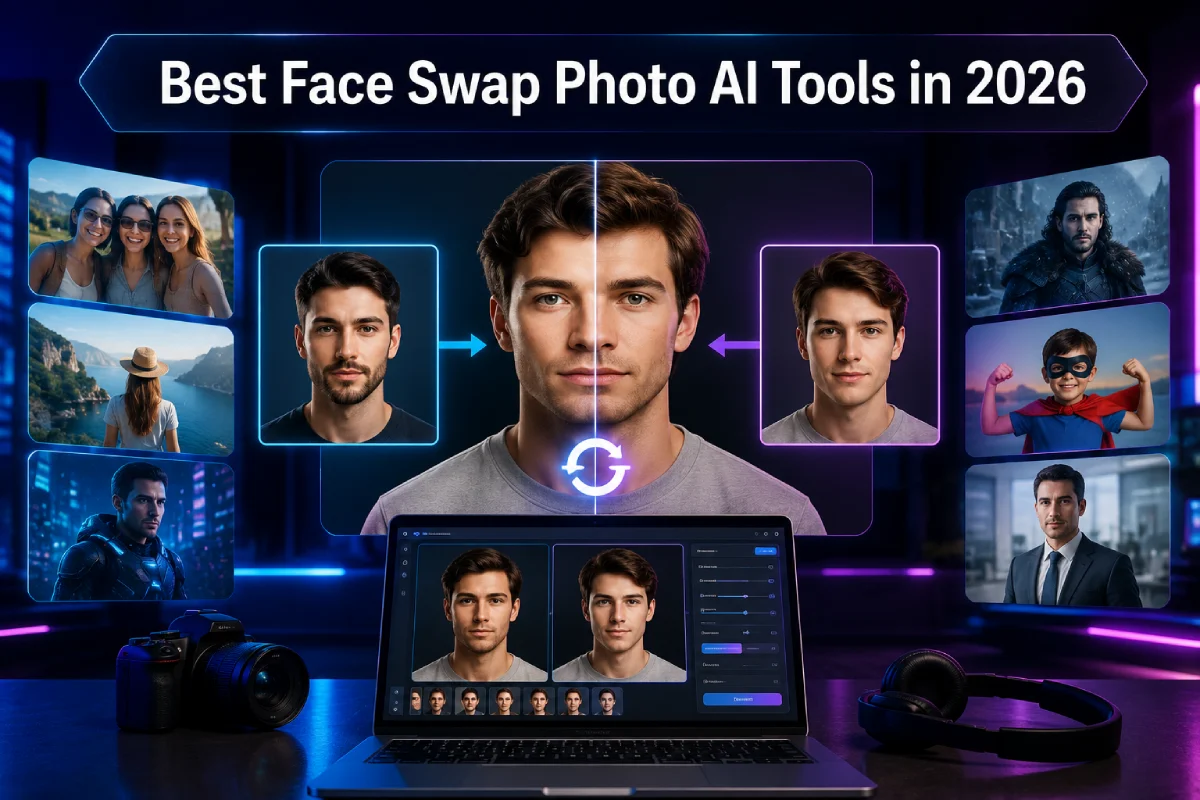
As of August 2026, the best face swap photo AI tool for speed, facial preservation, and overall creative flexibility is Magic Hour, followed by specialized platforms like Remaker AI, DeepSwap, Reface, Akool, and Vidnoz AI.
I spent two weeks testing more than a dozen face-swapping applications on identical high-resolution portraits, group shots, low-light photographs, and stylized graphics. My goal was simple: evaluate how accurately each engine matches skin tone, preserves facial geometry, handles lighting gradients, and scales for daily creation.
Whether you are a performance marketer producing high-converting ad variations, a content creator building viral memes, or a digital producer managing brand assets, this guide breaks down the top platforms available today. I guarantee at least one of these tools will fit your exact workflow and budget.
At a Glance
| Tool | Best For | Standout Modalities | Free Tier | Starting Price |
| Magic Hour | All-in-one photo/video creation & fast variants | Photo, Video, GIF, Lip Sync, Image Gen | Yes (Generous free tier, no signup to try) | $10/mo (billed annually) or $15/mo |
| Remaker AI | Casual web browser swaps | Photo, Batch Swap, Video | Yes (Daily free trial points) | ~$2.99/mo (credit pack basis) |
| DeepSwap AI | Multi-face group swaps | Photo, Video, GIF | Yes (Limited trial) | $9.99/first mo ($19.99/mo standard) |
| Reface | Mobile-first entertainment & meme templates | Photo, Video, Mobile App | Yes (Watermarked free trial) | $6.99/mo |
| Akool | Commercial ad campaigns & enterprise assets | Photo, Video, Voice Clone | Yes (Initial free credits) | $30/mo |
| Vidnoz AI | Quick marketing templates & avatars | Photo, Video, Presenters | Yes (Daily free credits) | $19.99/mo |
1. Magic Hour — The Best Overall AI Face Swap Platform
When evaluating platforms for production-grade output and raw speed, Magic Hour takes the top spot in 2026. It is not just a single-purpose utility; it operates as an end-to-end creative suite that connects image creation, upscaling, motion generation, and facial manipulation into smooth, multi-step workflows.
What sets Magic Hour apart from traditional face swappers is its architecture. You can upload a photo and test a free face swap online without needing to sign up or enter a credit card. Once inside, you gain access to frontier AI models running on high-throughput cloud infrastructure, meaning your renders process in parallel without arbitrary concurrency caps.
Beyond standard single-photo replacements, Magic Hour handles complex group photos with individual face mapping, matching subtle directional lighting and skin texture so the output never looks like a harsh cut-and-paste job. If you need to edit surrounding context, tweak facial details, or clean up artifacts, you can pass your image directly into their ai image editor or convert static portraits into animated clips with native lip sync ai features. For creators curious about voice-to-video capabilities, our analysis of the best AI lip sync tools covers how these modalities pair together.
Pros
- Unusually generous free tier: Test tools immediately without friction or upfront registration.
- Credits never expire: Purchased credit packs and subscription allocations roll over so you pay only for what you use.
- Parallel generations: Run multiple renders simultaneously without waiting in a single-file processing queue.
- Click-to-create workflows: Seamlessly chain outputs from face swap to upscaler to video generation in one click.
- Frontier model access: Constantly updated with top-performing image and video foundation models.
- Responsive founder-level support: Quick resolution times directly from the engineering and product team.
- Full API parity: Build web apps or automated pipelines using the exact same API that powers the user interface.
Cons
- The extensive feature set may take a few minutes to explore if you only need a quick one-off meme.
- Advanced 4K export options require a paid subscription tier.
Evaluation
If you want a tool that eliminates repetitive setup steps while keeping skin tones, angles, and facial lighting consistent across iterations, Magic Hour is hard to beat. During testing, it consistently delivered clean edges around hairline transitions and glasses frames—areas where most competitors struggle.
Pricing & Plans
- Free Plan: Free credits available; try instantly with no signup required.
- Creator Plan: $15/month ($10/month when billed annually for $120/year).
- Pro Plan: $39/month ($25/month when billed annually for $300/year).
- Business Plan: $99/month ($66/month when billed annually for $792/year).
2. Remaker AI — Ideal for Quick Browser Swaps
Remaker AI is a web-based face swap utility designed for straightforward, low-friction edits. It has gained popularity among casual creators and social media managers who need fast image swaps without navigating a complex interface.
The platform offers both single-face and multi-face swapping tools alongside standard background removal and image restoration utilities. While it lacks advanced timeline controls or multi-step video chaining, it executes simple image-to-image swaps efficiently.
Pros
- Clean, minimalist interface with direct drag-and-drop uploading.
- Supports batch photo processing for quick image variations.
- Affordable point-based credit purchase system.
Cons
- Output blending can sometimes look oversmoothed on detailed facial features.
- Free points expire quickly, requiring regular top-ups.
- Limited advanced editing or upscaling capabilities post-swap.
Evaluation
Remaker AI is a solid option if you need a quick, no-frills tool to swap a face in a static photo for a presentation or quick social graphic. It gets the job done quickly, though high-resolution agency work will require further post-processing.
Pricing & Plans
- Free Trial: Daily sign-in bonus points.
- Credit Packs: Pay-as-you-go starting at $2.99 for 150 VIP credits.
3. DeepSwap AI — Solid Choice for Multi-Face Media
DeepSwap AI is a widely recognized web application built specifically for handling images, video clips, and GIFs. It shines in scenarios where multiple faces appear in a single frame, such as group photos or cast stills.
The platform utilizes custom deep-learning pipelines that attempt to preserve original expressions across varying angles. Cloud execution means processing runs on remote servers, saving your local hardware from heavy rendering loads.
Pros
- Excellent multi-face identification and swap assignment.
- Handles GIFs and short video clips smoothly alongside photos.
- Automated file deletion after 24 hours for enhanced data privacy.
Cons
- Subscription model can become pricey if you process content sporadically.
- No permanent free tier; trial access is quite restricted.
- Occasional artifacts around heavily tiled or shadow-heavy backgrounds.
Evaluation
For creators frequently working with group photos or short animated reaction GIFs, DeepSwap offers reliable multi-face alignment. Just keep an eye on your monthly usage, as credit consumption scales rapidly on multi-file runs.
Pricing & Plans
- First Month Promotion: $9.99 for the first month.
- Standard Subscription: $19.99/month (or $96/year).
4. Reface — Best Mobile Experience for Memes & Shorts
Reface remains a dominant player in mobile face swapping, offering dedicated apps for iOS and Android alongside a expanding web portal. It targets social media creators, casual users, and trend-focused marketers who want to insert their faces into popular pop culture templates.
The core strength of Reface is its massive library of pre-set assets, movie clips, and viral meme templates. You simply upload a clear headshot, select a template, and let the four-step AI pipeline process the swap.
Pros
- Polished mobile app with fast render times.
- Massive library of updated viral templates and movie scenes.
- Simple headshot cataloging for quick face switching.
Cons
- Less practical for custom commercial assets or specific stock photos.
- Heavy watermark on non-paid outputs.
- High subscription cost relative to pro desktop toolsets.
Evaluation
Reface is the benchmark for quick, entertainment-first content right from your smartphone. If your main goal is creating fast TikTok or Instagram content based on trending formats, it provides instant gratification.
Pricing & Plans
- Free Version: Watermarked outputs with ads.
- Pro Pass: Starts at $6.99/week or $49.99/year.
5. Akool — Enterprise Focus for Brand Campaigns
Akool is engineered for commercial studios, e-commerce brands, and marketing agencies that require photorealistic facial replacement at scale. It emphasizes brand safety, high-definition output, and studio lighting preservation.
In addition to image face swapping, Akool incorporates voice cloning, video translation, and avatar generation. Its algorithms do a strong job of maintaining consistent skin tone gradients across professional lighting setups.
Pros
- High-definition render outputs suitable for print and digital ads.
- Retains facial expressions and natural lighting dynamics accurately.
- Built-in suite of complementary tools like voice synthesis.
Cons
- Higher entry price point than creator-oriented options.
- Interface feels more corporate and structured, with a steeper learning curve.
- Long processing queues during peak usage hours on entry tiers.
Evaluation
Akool is a strong contender if you work within a marketing team that needs to produce localized ad creative or swap models across international catalog assets. It delivers polished results, provided you have the budget to support its pricing structure.
Pricing & Plans
- Free Tier: 50 one-time initial credits.
- Pro Plan: $30/month.
- Enterprise Plan: Custom quote based on processing volume.
6. Vidnoz AI — Great for Marketing Assets & Avatars
Vidnoz AI is a web-based video and photo editing hub that integrates face swapping directly into its marketing design canvas. It allows marketers to swap faces on static photos, video avatars, and promotional templates in a single web workspace.
The platform features individual face swapping, group photo mapping, and creative styles like cartoon or stylized conversions. Its primary appeal lies in how easily it integrates with standard presentation slides and video templates.
Pros
- Integrates face swapping into a broader video and presentation editor.
- Daily free credit refresh for light usage.
- Clean browser interface requiring zero local GPU resources.
Cons
- Photorealism can fall short on extreme side angles or dramatic shadows.
- Processing speed can lag during high-resolution exports.
- Strict credit caps on lower pricing tiers.
Evaluation
Vidnoz AI works well for teams already producing training deck presentations, video explainer avatars, and basic marketing graphics. It simplifies the process of changing spokesperson faces across standard templates.
Pricing & Plans
- Free Plan: Daily renewable credits (watermarked).
- Starter Plan: Starts at $19.99/month.
- Business Plan: $74.99/month.
How We Tested and Evaluated These Tools
To build this comparison, I established a standardized test dataset designed to stress-test each tool under real-world production conditions:
- Facial Geometry Preservation: Testing front-facing portraits, 45-degree angles, and sharp profile shots to evaluate how well models handle structural alignment.
- Lighting and Color Blending: Feeding photos with complex environmental lighting (e.g., neon side lighting, harsh sunlight, soft studio setups) to see if the swapped area matched the original scene context naturally.
- Occlusion & Hairline Handling: Uploading images where fingers, hair strands, or sunglasses partially covered the face to measure artifact frequency.
- Speed & Throughput: Benchmarking rendering times across single image generation and batch runs.
- Pricing & Value Metrics: Measuring credit efficiency, rollover policies, and overall cost per high-resolution export.
Testing revealed that basic face swapping has become widely accessible, but high-end quality comes down to subtle edge blending, resolution preservation, and multi-step creative versatility.
Face Swap AI Market Trends in 2026
The AI media space has shifted from novel face-replacement gimmicks to unified, multi-modal editing pipelines. Key trends shaping the market this year include:
- Convergence of Tools: Creators no longer want one app for face swap, another for upscaling, and a third for motion. Platforms like Magic Hour that combine these steps into one-click workflows are rapidly gaining ground over single-purpose apps.
- No-Signup Product Trials: Frictionless testing has become an industry standard. Platforms offering instant web trials give creators immediate validation before forcing account setup.
- Generous Credit Models & Permanence: Flat monthly subscription caps that expire unused credits are giving way to models where credits never expire, giving creators predictable value.
- Enterprise Provenance and Privacy: Commercial clients are prioritizing platforms that offer automatic data deletion policies, clear commercial license usage, and non-training guarantees on uploaded media.
Which Tool Should You Choose?
Selecting the right face swap photo AI tool comes down to your primary use case:
- Choose Magic Hour if you want the highest quality outputs, zero-friction testing, flexible credit usage that never expires, and a unified platform that connects face swapping to video generation, lip sync, and upscaling.
- Choose Remaker AI if you simply need a quick, occasional single-photo swap inside a basic web browser interface.
- Choose DeepSwap AI if your work focuses heavily on multi-face group photo or GIF replacements.
- Choose Reface if you are creating short viral clips, mobile memes, or quick social media content directly on your phone.
- Choose Akool if you are running enterprise advertising campaigns with strict studio lighting requirements.
I encourage you to test two or three of these tools with your own assets to see which workflow fits your creative style best.
Frequently Asked Questions (FAQ)
What is the most realistic AI face swap tool for photos?
Based on our testing, Magic Hour and Akool yield the most photorealistic results. Magic Hour excels at matching ambient lighting, facial textures, and skin tones seamlessly, while Akool is optimized for studio ad assets.
Can I try AI photo face swapping for free without signing up?
Yes. Magic Hour allows users to run photo face swaps directly in the browser with no signup required.
Do AI face swap tools work on group photos?
Yes. Advanced platforms like Magic Hour and DeepSwap automatically detect multiple faces in group shots and allow you to map distinct source photos to each face.
Is it legal to use AI face-swapped photos commercially?
Commercial usage rights depend on the platform’s licensing terms and your source media ownership. Paid plans on platforms like Magic Hour permit commercial use of generated outputs. Always ensure you have rights or permission for any source photos you upload.
